Danish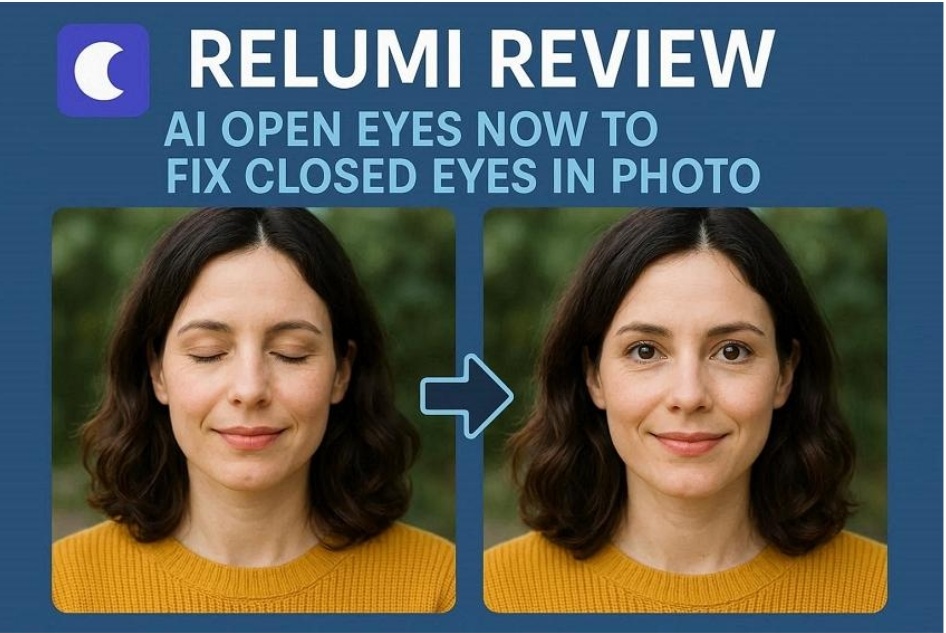
Have you ever taken the best shot only to find that, on several occasions, a person’s eyes were shut? Maybe you had the best family picture, with everyone looking good in it, but one person sneezed and ruined it. This usually happens, and it is very irritating when you are not aware of how to rectify it.
That is where Relumi comes in, an app that uses AI to open closed eyes. Using this tool, you will be able to snap the most perfect pictures without ever having to worry about someone blinking mid-shot.
Part 1. What is Relumi and How it Helps Fixed Closed Eyes in Photo?
A powerful, new AI photo enhancement tool has been designed to bring back life into imperfect camera snaps. Relumi uses advanced facial recognition and image reconstruction technology to analyze photos and restore expressions. It is available on both the Play Store and the App Store, allowing all users to avail its features easily.
Closed eyes do not bother this AI feature, as it takes just a few taps and clicks, and the photo is back to being perfect. Ultimately, Relumi can fix closed eyes in photo, ensuring every moment looks polished and ready to share.
Part 2. Key Features of Relumi for “AI Open Eyes Now” Editing
The Relumi App is an ideal one-stop solution for users who frequently edit photos and want to create perfect memories. In the next section, we have compiled a list of 6 features that Relumi offers its users.
- Smart Multi-Face Correction: Relumi easily identifies each face in a photo separately and only corrects the one where the eyes are closed. Therefore, the background, details, and other faces are left completely untouched for realistic group shots.
- One-Touch Eye Opening Feature: Using AI open eyes, users can recreate natural-looking open eyes within seconds. This app automatically detects closed eyes and fixes them without any other manual editing.
- Old Photo Restoration: It repairs any scratches, stains, or fading of old or damaged photos. Furthermore, this tool colorizes black and white images, giving a more vibrant look to digital memories.
- AI Quality Enhancer: To sharpen blurry photos, reduce noise, and recover lost details in low-resolution photos, users must try out the AI quality enhancer feature. This feature restores shaky shots and makes them look proper and closer to the real scene.
- Corrupted Photo Repair: This tool detects and fixes unreadable, incomplete, or broken photo files, including RAW formats. All of this is done by simply restoring missing image data for image files.
- Preview Before Saving: Relumi allows users to check before and after images to compare and check the integrity of the photo.
Part 3. Step-By-Step: Use Relumi for Fix Closed Eyes in Photo Easily
After exploring the various features offered by Relumi, let us walk through the steps needed to fix closed eyes in photos.
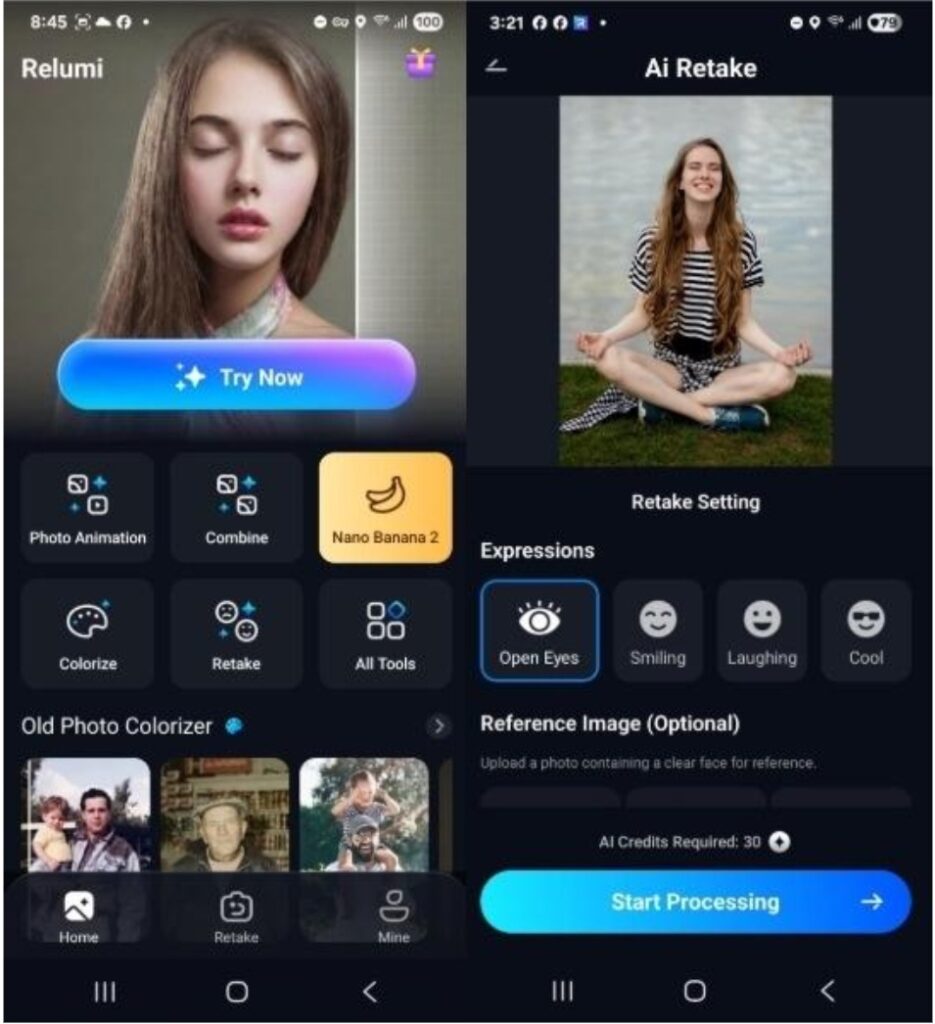
Step 1. Access Retake Feature and Select an Expression
Initially, tap the “Retake” section on the main screen and select your photo. Next, choose the “Open Eyes” option from the “Expressions” tab and tap “Start Processing.”
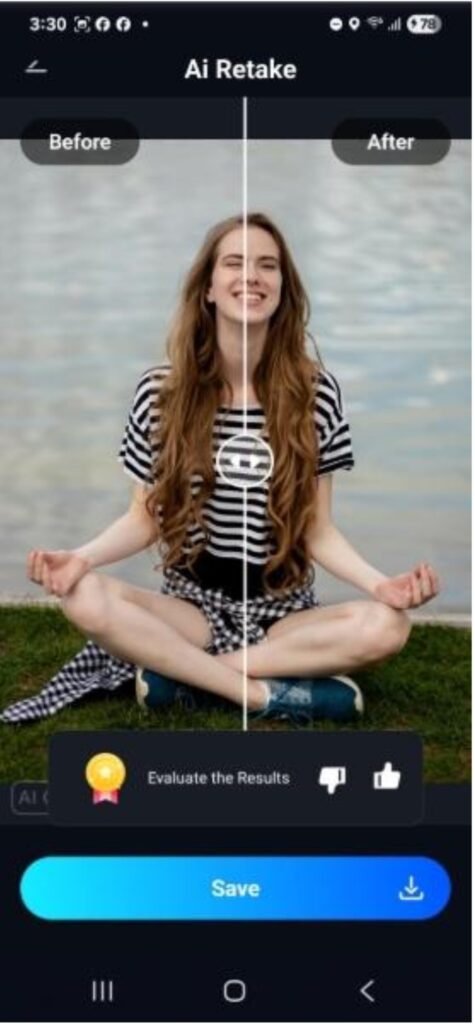
Step 2. Evaluate the Before and After Images
Next, the screen shows you the before and after images side-by-side. Press the “Save” option if you are satisfied with the results.
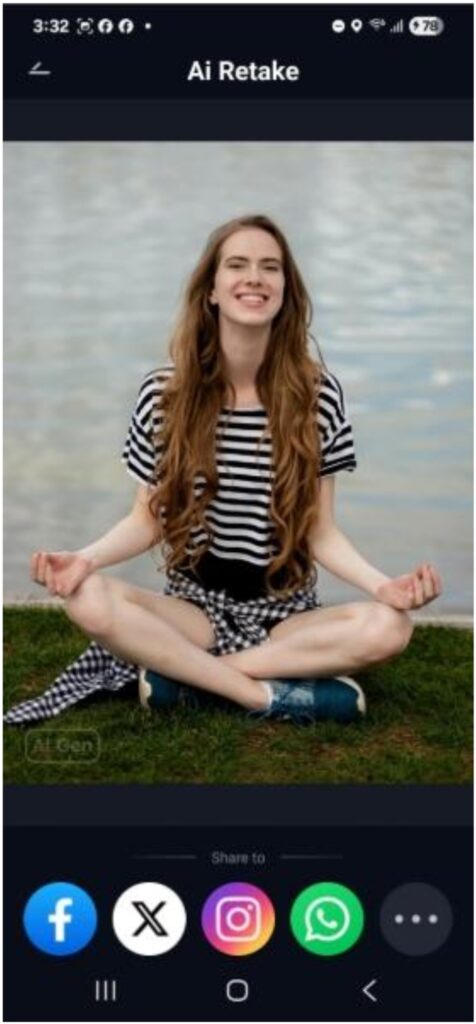
Step 3. Export and Share with Other People
Finally, export and share the final result on social media platforms by pressing one of the options at the bottom of the screen.
Part 4. When to Use Relumi to Fix Closed Eyes in Photo with AI
Relumi’s AI eye-opening feature works well for photos that turned out great except for blinking or half-closed eyes. In this part, we will explore common situations where this tool can help preserve important memories.
- Once-in-a-Lifetime Memories: Weddings, graduations and travel shots cannot be taken again and again. So, use the Relumi app during these moments when retaking a photo is just not possible.
- Large Group Photos: Use this tool when one or two people blink during a gathering photo. The AI retake feature can fix their eyes without asking everyone to pose again.
- Photos with Kids or Pets: Children and pets do not like to sit still for pictures. By using this tool, one can easily correct expressions while maintaining the natural scenery.
- Indoor Photos: Dim lighting causes more blinking due to flash. However, one can easily correct all of the closed-eye photos using Relumi.
- Candid Photos: Rely on this app when you have captured a candid snapshot and the person’s eyes are closed. Without losing the mood, you can restore their gaze and the memory forever.
Conclusion
To summarize, Relumi is a reliable app for restoring almost-perfect photos ruined by blinking or closed eyes. It is especially useful when you are capturing group photos or candid shots. Now, one does not have to worry about low-light images or getting the perfect wedding shot as Relumi makes everything easy and possible.