Khizar Seo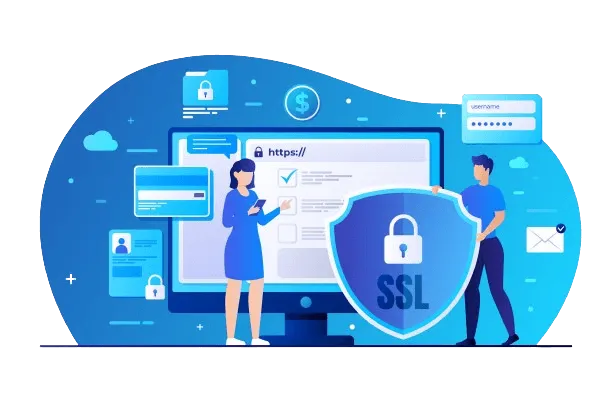
Why You Need to Purchase a Certificate
In the digital world, trust is the most valuable currency. When someone visits your website, they instantly look for signs that it is safe and professional. The most universally recognized symbol of security is the padlock icon displayed next to a website’s address. That lock is powered by an SSL/TLS certificate, and its presence tells visitors that their connection is private and their data is protected.
An SSL certificate is a small data file that enables an encrypted link between a web server and a browser. This encryption scrambles sensitive information—like passwords, personal details, and credit card numbers—making it unreadable to hackers. Without this protection, search engines like Google will label your site as “Not Secure,” which can deter visitors and damage your search rankings. If you want your website to be credible, visible, and secure, you need to purchase certificate. This guide will show you exactly how to do it.
The 5 Steps to Purchase a Certificate
Buying and installing an SSL certificate may seem like a technical task, but the process is surprisingly straightforward. It can be broken down into five clear steps.
Step 1: Decide Which Certificate You Need
Before you begin the purchase process, you must identify the right type of certificate for your specific needs. This depends on your website’s structure and purpose.
- Single-Domain Certificate: Perfect for securing one website address (e.g., www.mysite.com).
- Wildcard Certificate: The best option if you use multiple subdomains, such as blog.mysite.com, shop.mysite.com, and app.mysite.com. It covers them all.
- Multi-Domain (SAN) Certificate: Ideal if you own several different websites and want to secure them all with a single certificate.
Step 2: Generate a Certificate Signing Request (CSR)
A CSR is a block of encrypted text containing your domain and organization details. Your web server uses it to generate the certificate. Most web hosting control panels, like cPanel, have a built-in “SSL/TLS” tool that creates a CSR for you in just a few clicks. You will need to copy this code to provide to the certificate vendor.
Step 3: Choose a Vendor and Complete Your Order
Select a trusted Certificate Authority (CA) or a reputable reseller. During the checkout process, you will be prompted to paste the CSR you generated and fill in your contact information.
Step 4: Complete the Validation Process
After you purchase a certificate, the provider must verify your identity. The method used depends on the certificate’s validation level.
- Domain Validation (DV): This is the quickest method. You simply prove domain ownership by clicking a link in an email, adding a DNS record, or uploading a file. The process is automated and takes only a few minutes.
- Organization/Extended Validation (OV/EV): For these higher-assurance certificates, the CA will manually review your business. This involves verifying your organization against official records and may require you to submit business documents. This can take several days.
Step 5: Install the Certificate on Your Server
Once validated, the CA will send you the certificate files. The final step is to install these files on your web server. Your hosting provider will have a guide or support team to assist you. Once installed, your website will load over HTTPS, displaying the secure padlock.
Factors to Consider Before You Purchase a Certificate
Not all certificates are the same. Before you finalize your purchase, consider these key factors to ensure you are getting the right product for your needs.
- Validation Level: This is the most important factor. A basic DV certificate is fine for a blog or portfolio. However, an e-commerce site or any site collecting user data should invest in at least an OV certificate to build greater trust.
- Brand Reputation: Stick to well-known Certificate Authorities like DigiCert, Sectigo (formerly Comodo), or GeoTrust. Their certificates are trusted by virtually all web browsers, so your visitors won’t see security warnings.
- Warranty: SSL certificates come with a warranty that protects your customers from financial loss if a data breach occurs due to a flaw in the certificate’s encryption. A larger warranty indicates greater confidence from the CA.
Popular Providers to Purchase a Certificate From
The market to purchase a certificate is competitive, which means great prices for you. Here are some of the most reliable and popular providers.
Sectigo (formerly Comodo)
Sectigo is a market leader in affordable security. Their PositiveSSL line offers robust DV certificates at very low prices, making them a favorite for small businesses and startups. They also provide a full range of OV, EV, and Wildcard options.
DigiCert
DigiCert is a premium brand focused on high-assurance certificates. While more expensive, they are the industry standard for large corporations, banks, and healthcare organizations that need the highest level of trust provided by Extended Validation (EV).
GeoTrust
Owned by DigiCert, GeoTrust offers a great middle ground between affordability and premium brand trust. Their QuickSSL Premium products are a popular choice for growing businesses that need a reliable and recognized name.
Resellers (e.g., SSLs.com, Namecheap)
Often, the best way to purchase a certificate is through a major reseller. These companies buy certificates in bulk at a discount and pass the savings on to you. You can get the exact same certificate from a brand like Sectigo but at a significantly lower price than buying direct.
Conclusion: A Fundamental Investment in Your Website
The decision to purchase a certificate is one of the most critical you will make for your online presence. It is a direct investment in your brand’s reputation, your users’ safety, and your website’s performance. A secure site builds trust, protects customer data, and ranks better in search engines.
By understanding your needs and following the simple steps outlined above, you can easily implement this foundational layer of security. In today’s digital economy, an SSL certificate is not just a technical component—it is a clear signal to the world that you are a trustworthy and professional business.