2Q-Solution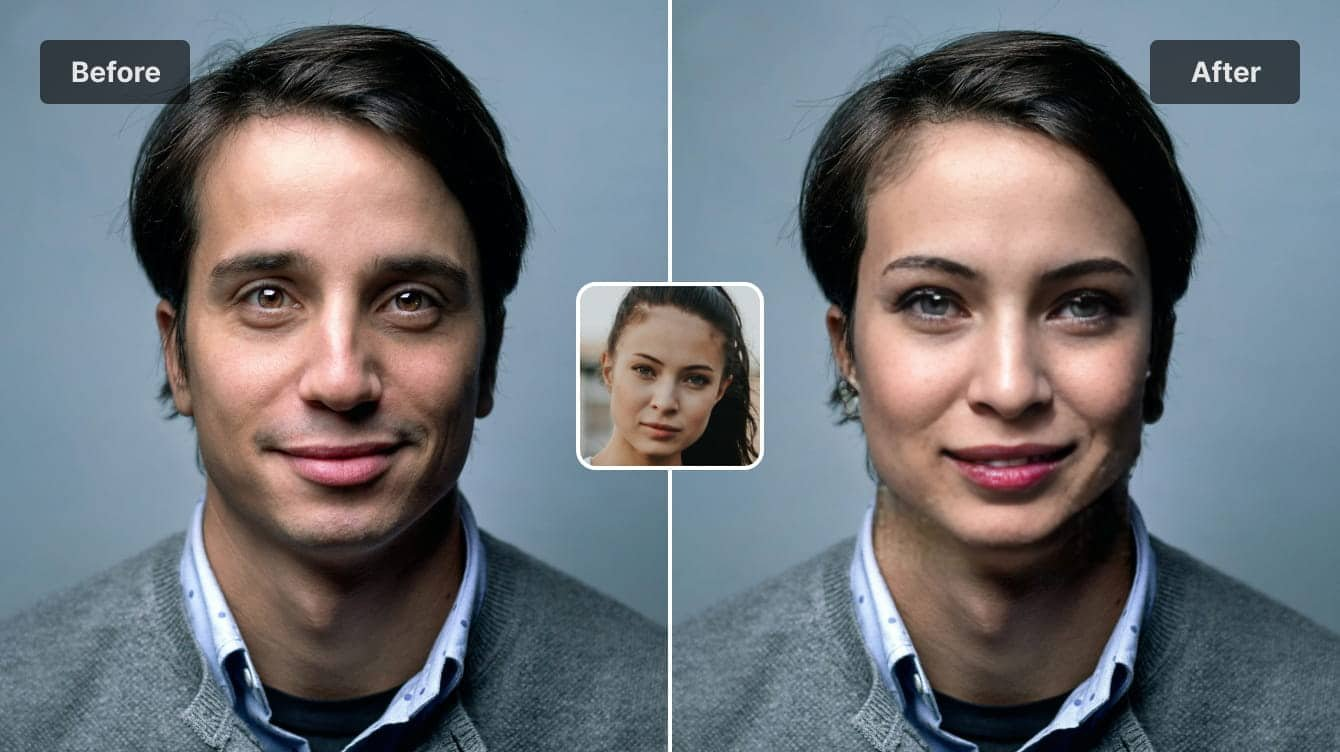
Scroll any social feed today and you’ll see it: people dropping themselves into movie scenes, creators turning street footage into anime, brands remixing old campaigns into something that feels new. What used to require a studio and specialist software is now happening on laptops and phones in a spare evening.
That shift isn’t just about novelty. It’s changing how small teams produce content and how we think about trust in what we watch. Used well, modern face swap and video-to-animation tools can be a creative upgrade rather than something to be afraid of.
From Filters to Full Character Swaps
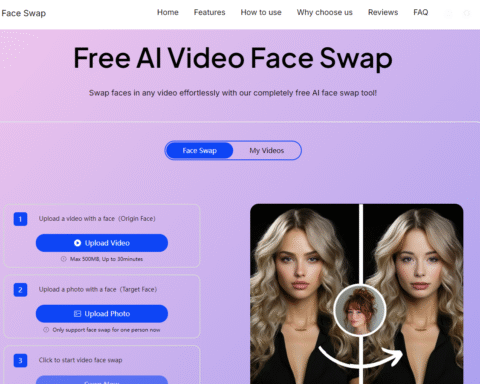
Early “fun” effects were mostly filters and stickers. They added mood, but they didn’t change the structure of a video. Face swap tools work at a different level: they analyse the reference face, track expressions frame by frame, and then map that performance onto a target clip.
Done properly, this isn’t just pasting a face on top. It matches lighting, angle, and motion so the final video feels stable and believable. That’s why more creators are using face swap for things like re-casting their own clips so one person can play multiple roles, making low-budget adverts look more polished, or localising campaigns with region-specific presenters without re-shooting everything.
This is also where tool choice matters. Consumer apps can be fun for a quick laugh, but brands and serious creators typically need something more predictable, with clear terms of use and export control.
Professional Face Swap and Why GoEnhance AI Shows Up in Briefs
When marketers talk about “professional” face swap, they usually mean three things: consistent quality, control over the workflow, and transparent rules on what you’re allowed to do.
GoEnhance AI fits that description. Its GoEnhance AI face swap feature is designed as a professional face swap tool rather than a one-off gimmick: you upload your source and target videos, the system handles alignment and blending, and you get an output that’s stable enough for social campaigns, product explainers, or internal training clips.
Just as important, it’s built around consent-based use. You should only swap in faces you own or have permission to use, and you stay accountable for how the final video is shared. The tech is impressive, but the human rules still matter.
Turning Real Footage into Animation
Alongside face swap, another trend has quietly gone mainstream: converting real-world footage into stylised animation. Instead of drawing every frame, you feed a short clip into a model that re-imagines it in a new visual language — anime, 2D cartoon, painted storyboard, and more.
This “real video to animation” workflow is especially handy if you want a safer, less personally identifiable version of live-action footage, need a unified style for a whole campaign, or simply prefer a playful, illustration-driven brand look.
Tools like real video to animation take existing footage and automatically convert it into animated sequences while preserving timing and core motion. For small teams, that’s often the difference between “we can’t afford this look” and “we can test three styles this week and see what performs best.”
Where These Workflows Fit in Everyday Projects
Used thoughtfully, face swap and video-to-animation don’t replace creative direction — they extend it. Here are a few realistic scenarios where they fit naturally into the workflow:
| Scenario | How Face Swap Helps | How Video-to-Animation Helps |
| Social promos | Keep the same storyline but test different on-screen talent | Turn the best-performing clips into stylised follow-ups |
| E-commerce & product explainers | Re-cast a presenter for different markets | Animate product demos for ads and landing pages |
| Training & internal comms | Put an approved “brand avatar” on camera every time | Simplify processes into clean animated breakdowns |
| Creator channels & personal brands | Play multiple characters without more actors or shoot days | Give vlogs and B-roll a cohesive signature visual style |
The key theme: these tools save reshoots and open up options, but they still rely on a clear idea and a responsible operator.
A Simple Safety and Quality Checklist
Because the same technology can be abused, it’s worth building a quick checklist into every project. Before exporting and posting, ask:
- Do I have the right to use every face in this video?
Written consent is best, especially for commercial work or collaborations. - Could this clip reasonably mislead someone?
If the context might confuse viewers — for example, editing a public figure into a situation that never happened — add clear labelling or rethink the concept. - Is the brand or personal reputation at risk?
Short-term virality isn’t worth long-term trust damage. - Have I stress-tested on multiple devices?
Watch the video on phone and desktop. Bad lighting matches, flickering edges, or distorted expressions are a sign to adjust settings or try another take. - Is there a human review step?
Treat these outputs like any other creative asset. Have at least one person who wasn’t directly involved in the edit review it with fresh eyes.
Final Thoughts: Creativity First, Technology Second
Face swap and video-to-animation are no longer niche tricks reserved for big studios. They’re everyday tools that can help you tell sharper stories, test ideas faster, and give your video library a second life — as long as you pair them with clear ethics and a bit of structure.
If you treat GoEnhance AI and its video features as collaborators rather than shortcuts, you’ll find that the real advantage isn’t just “more content.” It’s the ability to experiment, learn from what your audience responds to, and keep refining the way you show up on screen — one carefully crafted clip at a time.
Read More Gorod